- DATE:
- AUTHOR:
- The Inpart team
January 6, 2026 Release Digest
Delivery time: Tuesday, January 6, 2026, 7:30 a.m. - 9 a.m. CET.
Impact: During this maintenance window, Inpart Deal, the Outlook add-in, the Opportunity Portal, and the Admin Center will be briefly unavailable.

Version 4.20.0
What's new
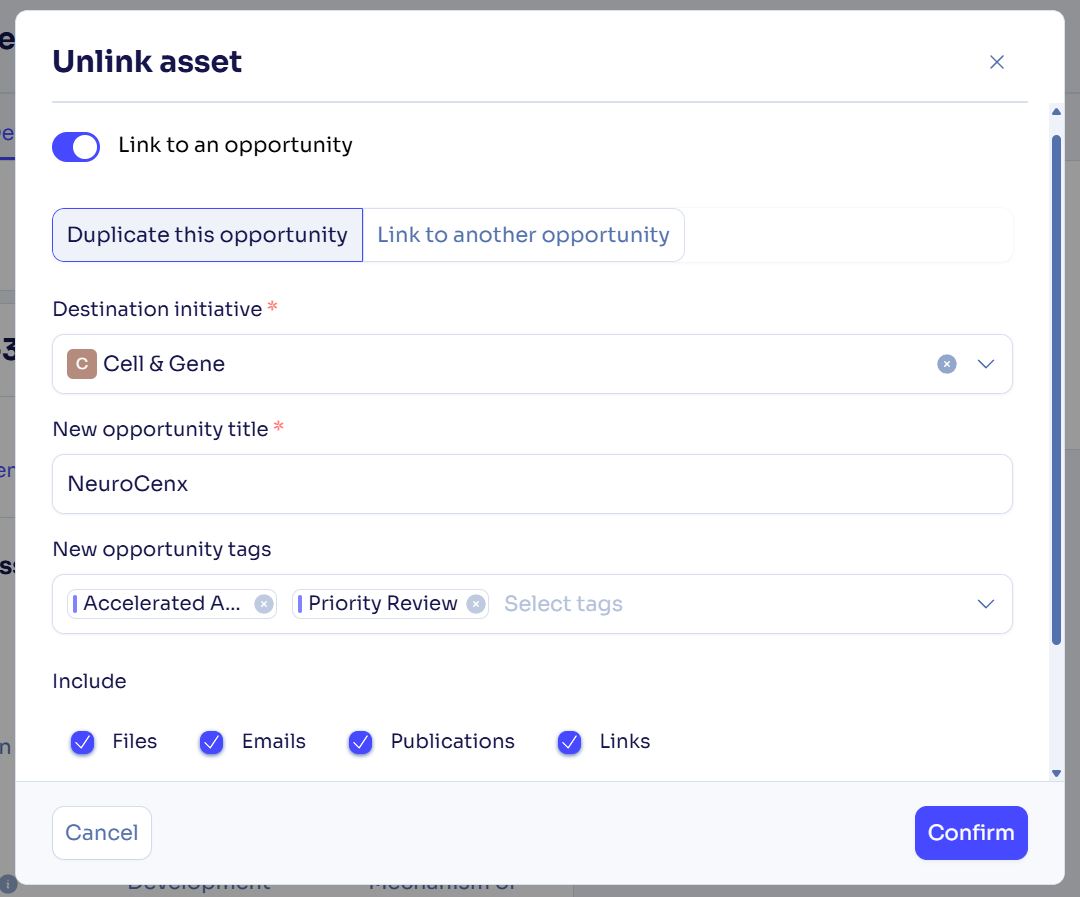
Manage multiple assets across opportunities with improved capabilities
Unlink assets by choosing to remove them permanently or preserve their data by moving them to a duplicated opportunity or linking them to another one.
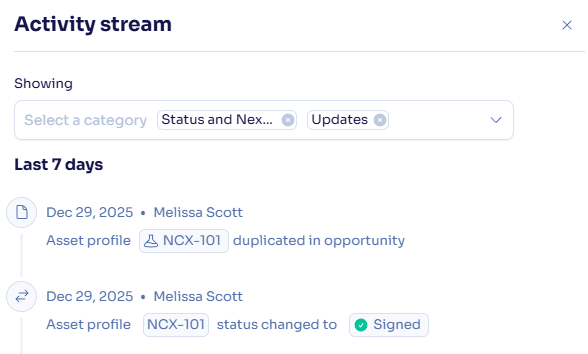
See asset activity history in the opportunity activity stream.
Contributor users can now add, duplicate, set a main asset, link assets to other opportunities, or remove assets while the opportunity they created is in the first stage of the workflow.
Draft agreements with more flexibility
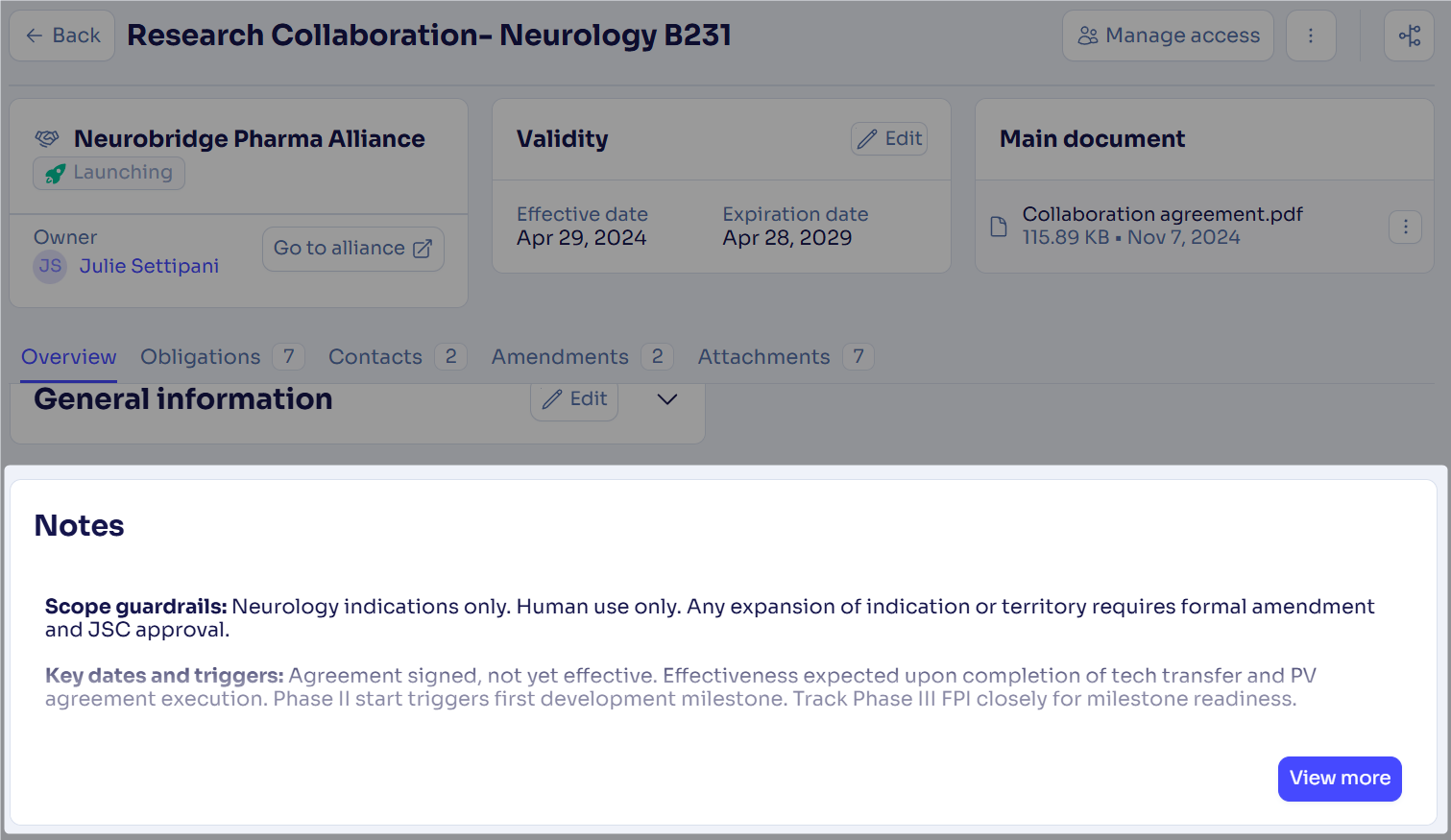
Create agreements with no effective date and validity duration to create a flexible draft, and add context and clarity by capturing additional details in the new rich text Notes field directly on the agreement page.
Outlook add-in: Push meetings for which you are the organizer
You can now push meetings for which you are the organizer from Outlook to Deal to get a full view of all meetings shared with partner companies.
Edit task completion date
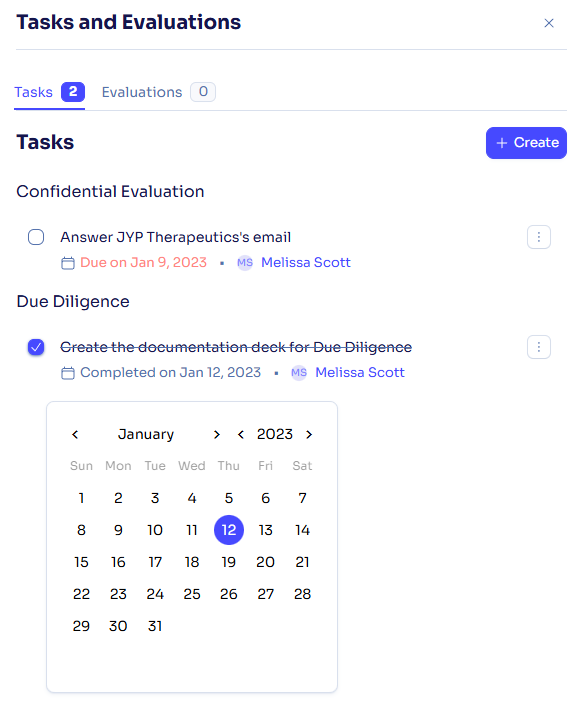
Edit a task’s completion date directly by clicking the completed date and correcting it as needed with today's date or a past date, which will automatically update the related activity stream.
Enter more territory information on alliances
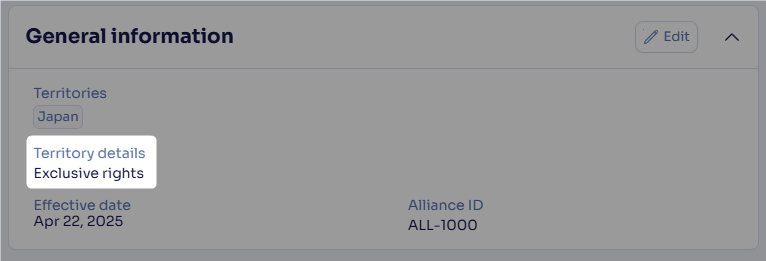
Use the new Territory details field in your alliances to enter more information about territories.
What's fixed
In the Amendments tab of agreements, we fixed the filter, which was not applying correctly when selecting a quick filter on Amended sections.
We fixed an issue where a company was created twice when creating meetings.
Feedback
Feedback is a gift! Let us know what you think about these new features and if you have any additional thoughts on what you'd like to see in functionality. Thank you and have a wonderful weekend! 
Need help? Visit our help center.